
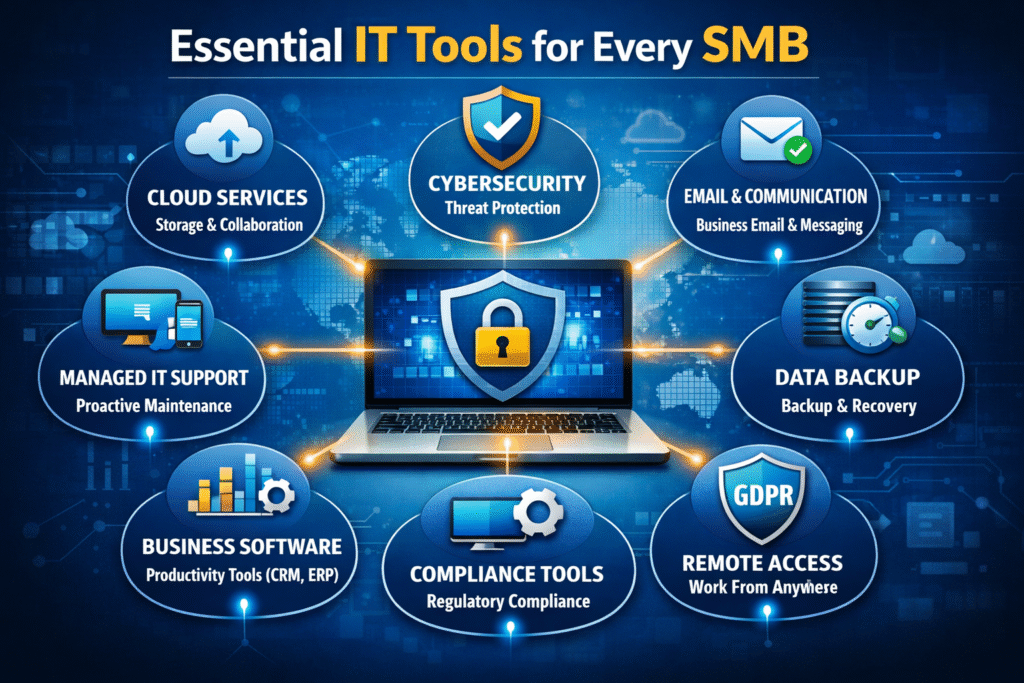
Running a small or mid-sized business means doing more with less—every dollar and every minute counts. The good news: today’s IT tools are more powerful and budget-friendly than ever. Below is a practical, owner-friendly guide to the tools most SMBs should consider first in 2026. We’ll keep it jargon-light and results-focused, so you can pick a stack that fits your size, budget, and goals. Roundups of SMB software consistently show that you don’t need dozen(s) of apps—just a reliable core across a few categories.
Your Core 2026 IT Stack (and why it matters)
1) Collaboration & Productivity Suite
Choose one suite to power email, calendars, video meetings, document creation, and file sharing. Consolidating here reduces tool sprawl and support overhead. Independent buyer guides for small businesses emphasize starting with a dependable suite as the foundation of your stack. [1]
- Look for: built-in security controls (MFA, device management), shared drives, meeting recording, and tight mobile support.
- Owner tip: buy annual plans only after a 30-day pilot with a real team and your existing files.
2) Password Manager (with team sharing)
Password reuse is still an SMB’s Achilles’ heel. Team-ready password managers let you share credentials safely, require strong passwords, and offboard departing staff in seconds. Many curated SMB tool lists highlight secure credential management as non-negotiable for 2026—and many options offer generous free or low-cost tiers. [3][4]
3) Multi-Factor Authentication (MFA) and Single Sign-On (SSO)
MFA blocks common attacks; SSO simplifies staff logins and cuts help desk resets. Prioritize tools that integrate with your suite, enforce device checks, and support phishing-resistant methods (like app or hardware keys).
4) Endpoint Protection / EDR
Modern endpoint tools (EDR) detect suspicious behavior and quarantine threats fast. For small teams without a 24/7 security staff, ease of deployment and automated remediation are must-haves. Reputable buyer guides call EDR one of the highest-value security adds for SMBs in 2026. [1]
5) Backup & Business Continuity
Ransomware, accidental deletion, and device loss happen. Back up workstations and cloud data (email, drive, teams) with clear recovery objectives. Broad SMB software lists emphasize selecting reliable, simple backup as part of the essentials—before you need it. [1][4]
6) Help Desk & Ticketing
Even a 5–25 person shop benefits from a shared inbox and ticketing. You’ll get a record of issues, faster responses, and better accountability. Affordable project management and service tools highlighted in industry comparisons often include automations that keep work moving without extra headcount. [5]
7) Remote Monitoring & Patching (RMM)
Keeping systems updated is still the #1 way to reduce risk. An RMM lets you patch devices on a schedule, enforce policies, and see where problems are coming from. Many SMB tool roundups spotlight automation and patching as force multipliers for lean teams. [2]
8) Documentation & SOPs
Write down the “how we do it” for repeat tasks—from onboarding email accounts to processing refunds. A simple wiki or SOP tool saves time, reduces errors, and speeds up handoffs when people are out.
9) Email Security Add‑ons
Phishing is more convincing thanks to AI. Layer an email security filter that sandboxes links and flags impersonation attempts, then train staff quarterly. Broad SMB buyer guides for 2025–2026 stress improved anti-phishing controls as a priority. [1][2]
10) Automation & AI Assistants
Use built‑in automations for recurring tasks: ticket triage, approvals, reminders, and status updates. Industry roundups show a clear trend—SMBs that lean into simple automation get time back for customers and revenue. [2]
How to choose without getting overwhelmed
- Start with the core five: suite, password manager, MFA/SSO, EDR, and backup. Add help desk, RMM, and email security next as your team grows. [1]
- Pilot 2–3 options per category. Compare setup time, admin dashboards, and real‑world support quality using trial projects (or a single client workflow). [5]
- Favor tools that bundle features (e.g., built‑in MFA, device controls) to cut cost and complexity. [1]
- Pick tools with freemium or SMB‑friendly tiers so you can scale as you grow. [3][4]
A sample “lean and secure” stack for a 10–25 person business
This sample stack balances cost, security, and ease of use. Swap brands as needed—focus on the capabilities.
- Collaboration suite with built‑in security and device controls.
- Team password manager for shared credentials and vault policies.
- MFA/SSO with phishing‑resistant methods.
- EDR on every workstation and server, with automated remediation.
- Cloud backup for devices and SaaS data (email and files).
- Help desk with a shared inbox, self‑service portal, and automations.
- RMM for patching, inventory, and basic configuration management.
- Email security add‑on for link/file sandboxing and impersonation protection.
- Lightweight wiki/SOPs to capture “how we work.”
Implementation checklist (weekend‑friendly)
- Create an admin account standard and enable MFA for all admins first.
- Roll out the password manager and import existing logins.
- Turn on MFA/SSO for your suite and critical apps.
- Deploy EDR to all devices; set up alerting to email and phone.
- Configure backup policies and test a restore (files and email).
- Stand up the help desk and publish a 1‑page “How to get IT help” SOP.
- Enable automated OS and app patching; require reboots during off hours.
- Add email security and run a 15‑minute phishing refresher.
Owner takeaway: You don’t need the “perfect” stack on day one. Start with the essentials above, then iterate as your team and needs evolve. The key is to standardize, secure, and automate the basics so your people can focus on serving customers.
Need help planning or implementing a right‑sized stack? Full‑Service Office Solutions specializes in SMB IT—endpoint protection, data backup and migration, and network setup—so you can focus on your business while we handle the tech. Schedule a quick consult and we’ll tailor this plan to your workflows.