

The 10 Most Common SMB Cybersecurity Mistakes (and How to Fix Them)
If you run a small or midsize business, you’re squarely in the sights of today’s cybercriminals. The good news: a handful of practical steps can dramatically reduce your risk without blowing up your budget. Below are the 10 mistakes we see most often—and how to fix each one fast.
1) Postponing updates and patching
The risk: Outdated systems and apps expose known vulnerabilities.
Fix: Turn on automatic updates wherever possible; schedule monthly patch windows for servers, network gear, and line-of-business apps. Track third‑party plugins and firmware too.
2) Weak or reused passwords
The risk: Credential stuffing and brute‑force attacks thrive on short or recycled passwords.
Fix: Require long passphrases (12+ characters), deploy a business‑grade password manager, and block password reuse across accounts.
3) Skipping multi‑factor authentication (MFA)
The risk: A single stolen password can unlock email, cloud storage, and payroll.
Fix: Enforce MFA for email, VPN/remote access, admin accounts, and financial apps. Prefer authenticator apps or hardware keys for the strongest protection.
4) Little or no staff security training
The risk: Phishing and social engineering target people, not just technology.
Fix: Run short, recurring training with phishing simulations and simple “how to report” steps. Reward fast reporting, not perfection.
5) No tested backups
The risk: Ransomware, mistakes, or hardware failure can mean permanent data loss.
Fix: Use the 3‑2‑1 rule (3 copies, 2 media, 1 offsite/immutable). Automate and test restores quarterly.
6) Vendor and app sprawl without vetting
The risk: Third parties can be the weak link.
Fix: Create a simple vendor checklist: security contacts, MFA support, data location, breach history, and right‑to‑terminate. Review access at least annually.
7) Misconfigured cloud services
The risk: Default‑open storage, overly broad permissions, and public links.
Fix: Apply least‑privilege access, require MFA for admins, enable baseline hardening and logging, and review sharing settings quarterly.
8) No incident response plan
The risk: Minutes matter during an attack; improvising is expensive.
Fix: Draft a 1‑page plan: who to call, how to isolate systems, where backups live, decision rights for shutting down services, and a customer notification template.
9) Flat networks and weak Wi‑Fi security
The risk: One compromised device can traverse the whole office.
Fix: Segment guest and IoT devices, retire legacy protocols, enforce strong WPA3 settings, and rotate Wi‑Fi credentials when staff changes.
10) “Set and forget” security
The risk: Alerts go unseen; small issues become breaches.
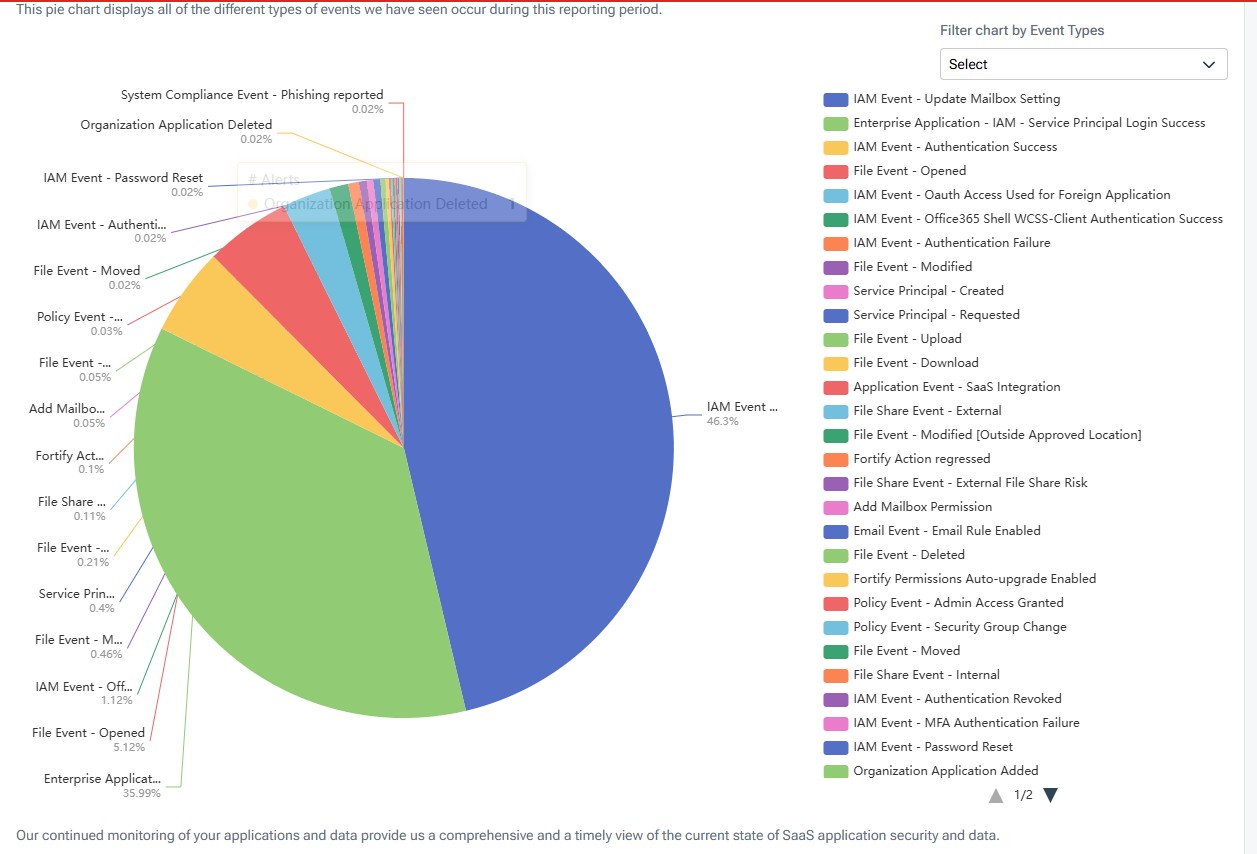
Fix: Centralize security alerts, enable basic log retention, and schedule monthly reviews of sign‑ins, admin changes, and failed MFA attempts.
Quick 30‑Day Action Plan
- Turn on automatic updates for OS, browsers, and critical apps.
- Enable MFA for email and financial systems first; expand to admin and VPN next.
- Deploy a password manager and require 12+ character passphrases.
- Set up automated, offsite/immutable backups and test a restore.
- Run a 20‑minute phishing awareness refresher for all staff.
- Audit third‑party access and remove anything unused.
Want this done for you? Full‑Service Office Solutions can assess your current setup, close the highest‑risk gaps, and set up ongoing monitoring sized for small businesses.
Book a free 20‑minute Cyber Health Check
Sources and further reading for small businesses: